
Instagram DM Management for Business: Setup, Rules and a Team Workflow
How to manage Instagram Direct messages and comments as a business: account requirements, allowing access to messages, Meta's 24-hour and 7-day rules, and a workflow for teams.
On this page
Instagram is where many customers discover products — and where they ask about them, in DMs, story replies and comments. On a phone, one person can keep up. As a team, you need the right setup and a few rules.
What you need
To manage Instagram messages with business software, Meta's platform requires:
- an Instagram professional account (Business or Creator), and
- for tools that connect through Facebook Login — like Quikochat — that account linked to a Facebook Page you manage.
In the Instagram app, also make sure access to messages is allowed for connected tools (look for the option under your message settings, often called Allow access to messages). Without it, third-party tools can't read or send your DMs.
Meta's timing rules for Instagram messaging
- 24-hour window: you can reply normally within 24 hours of the person's last message.
- Ad-started chats: for a person's first message after clicking a Click-to-Instagram Direct ad, the window may last up to 7 days.
- Human agent: a team member can reply within 7 days of the person's message using Meta's Human Agent feature — for human replies only, and only in apps Meta has approved for it.
- Private replies to comments: you can send one message to someone who commented, within 7 days.
Message limits to know
Instagram limits how long a single message can be. Good tools split long replies automatically; either way, short messages read better on a phone.
A workflow for teams
- One inbox, many people. Give each person their own login in your tool instead of sharing the Instagram password.
- Triage first. New DMs, story replies and comments should land in one list, newest first.
- Assign owners. Whoever picks up a chat owns it until it's done.
- Use saved replies for price, sizes, delivery, payment and exchanges.
- Move sensitive details into DMs. If someone comments their phone number, hide the comment and continue privately.
- Close the loop. Mark chats done when they're handled; a good tool reopens them if the customer writes again.
Comments are part of the conversation
Treat comments like messages: answer quickly, reply in public when it helps everyone, and send a private reply when the answer is personal. Hide or delete spam and abusive comments.
Instagram and the rest of your channels
Most businesses don't sell on Instagram alone — the same customer may message on WhatsApp next week. Keeping Instagram, Messenger and WhatsApp in one place means your team sees the whole history.
How Quikochat helps
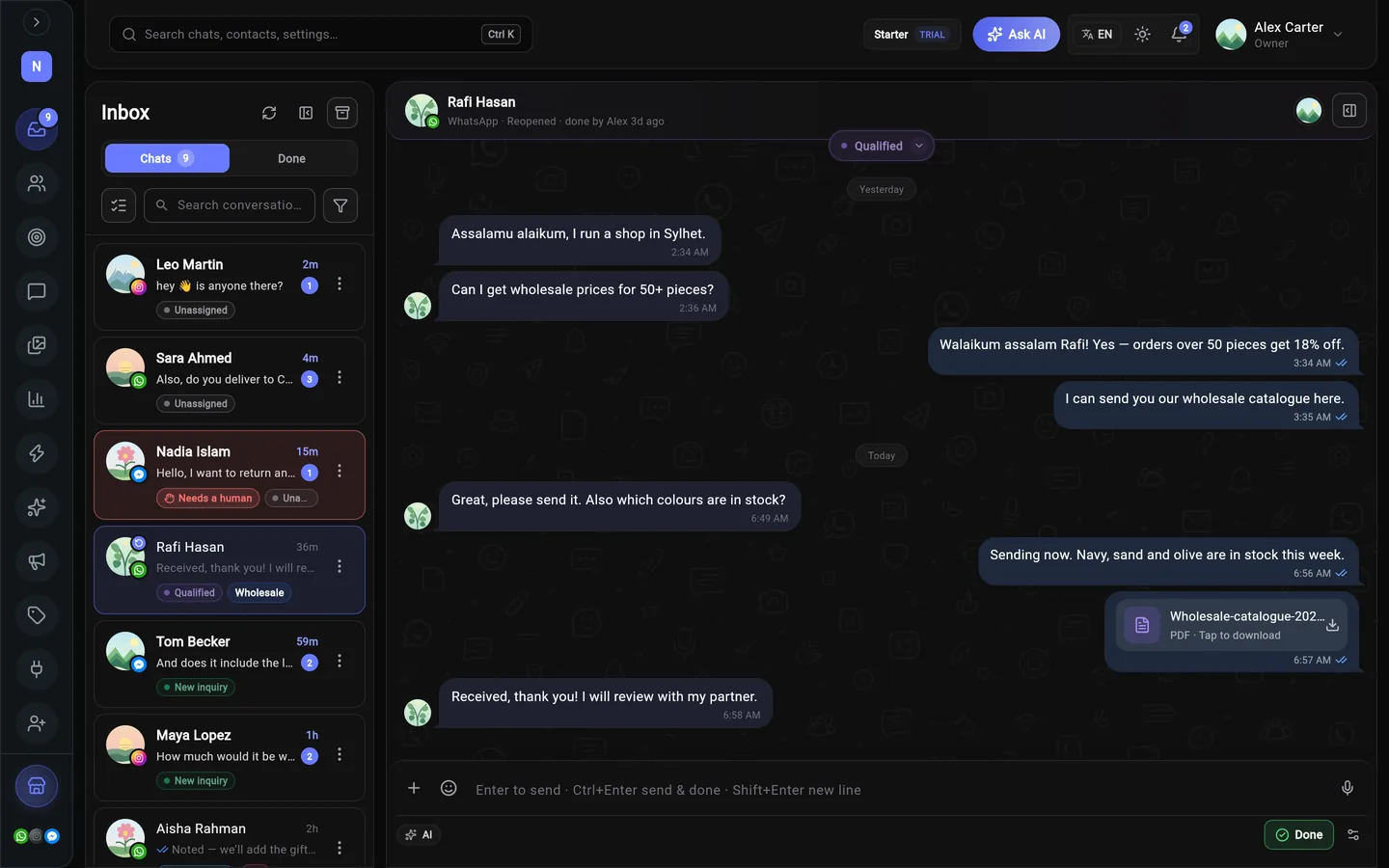
Quikochat connects Instagram professional accounts linked to your Facebook Page, then puts DMs and comments in the same shared inbox as WhatsApp and Messenger. Long messages are split automatically to fit Instagram's limit, comments arrive in the person's chat, and teammates reply with their own logins. Start with a 90-day free trial.
Note: Instagram's app menus change often. Based on Meta's documentation as of October 2026.
Official sources
- Instagram Platform documentation (Meta for Developers) (opens in a new tab)
- Human agent escalation — Instagram Messaging (Meta for Developers) (opens in a new tab)
- Messenger Platform and Instagram Messaging policy (opens in a new tab)
Checked against these pages on 21 October 2026. Quikochat is not affiliated with Meta; Meta’s documentation is the authority on its rules.
Quikochat
Every customer conversation. One powerful inbox.
WhatsApp, Messenger, Instagram and comments in one shared inbox — with automations and an AI ChatBot that understands Bangla and Banglish.
90-Day Free Trial · ৳200 AI Credits Every Month
Keep reading
Messenger
How to Manage Facebook Page Messages as a Team (Without Sharing Passwords)
A practical system for answering Facebook Page messages and comments as a team: safe Page access, ownership, shared replies, business hours, response-time goals and when to use a shared inbox.
3 min read
Support & AI
How to Reply Faster to Customers on WhatsApp, Messenger and Instagram
Twelve practical habits that cut response times for teams answering customers on WhatsApp, Facebook Messenger and Instagram — from one inbox and clear ownership to saved replies, hours and automation.
2 min read
Messenger
Private Replies: How to Answer Facebook and Instagram Comments in DMs
Meta lets businesses send one private message to someone who commented on a post. Learn the rules (one reply, within 7 days), when to reply publicly instead, and message examples that get answers.
3 min read
