
How to Reply Faster to Customers on WhatsApp, Messenger and Instagram
Twelve practical habits that cut response times for teams answering customers on WhatsApp, Facebook Messenger and Instagram — from one inbox and clear ownership to saved replies, hours and automation.

On this page
- 1. Put every channel in one place
- 2. Give every chat an owner
- 3. Work newest-unanswered first
- 4. Use saved replies for repeat questions
- 5. End replies with a question
- 6. Set business hours and an away message
- 7. Automate the first reply — not the whole conversation
- 8. Mark chats done — and let them come back
- 9. Snooze instead of forgetting
- 10. Keep context visible
- 11. Type in the customer's language — quickly
- 12. Measure response time every week
- How Quikochat helps
In chat, speed is part of the product. Customers message several shops at once and buy from whoever answers well first. Faster replies also keep you inside Meta's messaging windows — 24 hours on WhatsApp, Messenger and Instagram — so you can reply freely instead of needing templates.
Here are twelve habits that make a real difference.
1. Put every channel in one place
Switching between the WhatsApp app, Business Suite and Instagram wastes minutes on every chat. One inbox for all channels means nothing hides in an app nobody opened.
2. Give every chat an owner
Shared responsibility becomes no responsibility. Assign each new chat — by hand or automatically — so one person is clearly answering.
3. Work newest-unanswered first
Sort or filter by unread and waiting for a reply. Old, answered chats shouldn't sit at the top of anyone's list.
4. Use saved replies for repeat questions
Price, delivery charge, payment options, sizes, exchange rules — write the best answer once and insert it in two keystrokes. Include photos or voice notes where they help.
5. End replies with a question
"Which size do you need?" keeps the conversation moving. "Let us know" often ends it.
6. Set business hours and an away message
Customers accept waiting when they know when you'll answer. An automatic reply outside hours sets expectations and keeps the chat warm.
7. Automate the first reply — not the whole conversation
Keyword automations and AI can answer simple questions instantly. Make sure a person takes over for orders, problems and anything the bot isn't sure about.
8. Mark chats done — and let them come back
A clear "done" state keeps the active list short. When the customer writes again, the chat should reopen automatically.
9. Snooze instead of forgetting
"I'll check stock and come back tomorrow" needs a reminder. Snooze the chat until tomorrow morning so it returns to the list.
10. Keep context visible
Show the customer's previous orders, tags, notes and earlier messages beside the chat. Nobody should have to ask "what did you order last time?"
11. Type in the customer's language — quickly
If your customers write in Bangla, typing it shouldn't slow your team down. Phonetic typing (writing Banglish that becomes Bangla script) helps people reply naturally without switching keyboards.
12. Measure response time every week
Pick a goal — for example, first reply within 15 minutes during opening hours — and check it weekly. Look at the busiest hours and the slowest chats, then adjust shifts or automations.
How Quikochat helps
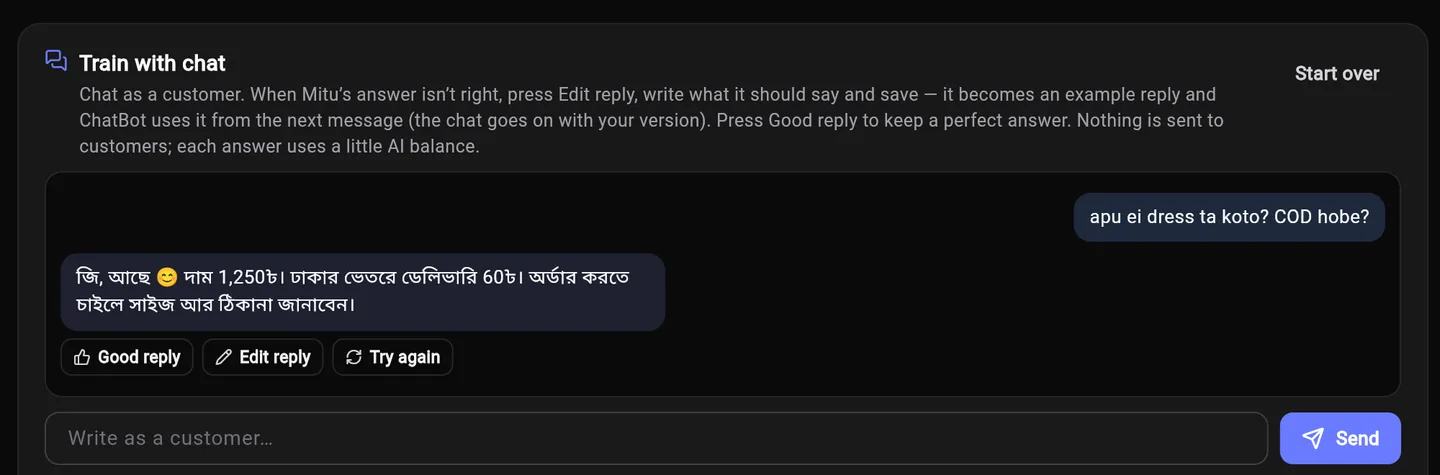
Quikochat puts WhatsApp, Messenger, Instagram and comments in one shared inbox, with assignment, Chats/Done tabs, snooze, saved replies (type /), automations, an AI ChatBot that hands over to a person, Bangla phonetic typing in the reply box, and analytics for response time. Try it free for 90 days.
Note: Based on Meta's documentation as of October 2026.
Official sources
- WhatsApp Business Platform pricing — customer service window (opens in a new tab)
- Messenger Platform and Instagram Messaging policy (opens in a new tab)
Checked against these pages on 21 October 2026. Quikochat is not affiliated with Meta; Meta’s documentation is the authority on its rules.
Quikochat
Every customer conversation. One powerful inbox.
WhatsApp, Messenger, Instagram and comments in one shared inbox — with automations and an AI ChatBot that understands Bangla and Banglish.
90-Day Free Trial · ৳200 AI Credits Every Month
Keep reading
Support & AI
AI Chatbots for Facebook Pages in Bangladesh: What to Automate (and What Not To)
A practical guide for Bangladeshi online shops using an AI chatbot on Facebook, Instagram and WhatsApp: questions to automate, Banglish and Bangla replies, human hand-over, accuracy and Meta's rules.
3 min read
Messenger
How to Manage Facebook Page Messages as a Team (Without Sharing Passwords)
A practical system for answering Facebook Page messages and comments as a team: safe Page access, ownership, shared replies, business hours, response-time goals and when to use a shared inbox.
3 min read
Support & AIIn Bangla
ফেসবুক পেজে AI চ্যাটবট: কোন কাজ অটোমেট করবেন, কোনটা করবেন না
অনলাইন শপের জন্য ফেসবুক, ইনস্টাগ্রাম ও হোয়াটসঅ্যাপে AI চ্যাটবটের গাইড: কোন প্রশ্ন অটোমেট করবেন, বাংলিশ ও বাংলায় উত্তর, মানুষের কাছে হ্যান্ডওভার আর মেটার নিয়ম।
৩ মিনিটে পড়ুন
